If you have an external keyboard attached, you can actually type polytonic Greek on an iOS device. It used to be more hassle than it was worth to use an iOS device and an external keyboard, but the release of the iPad Pros and the Smart Keyboard changed the game.
You add Greek and Hebrew keyboards just like always:
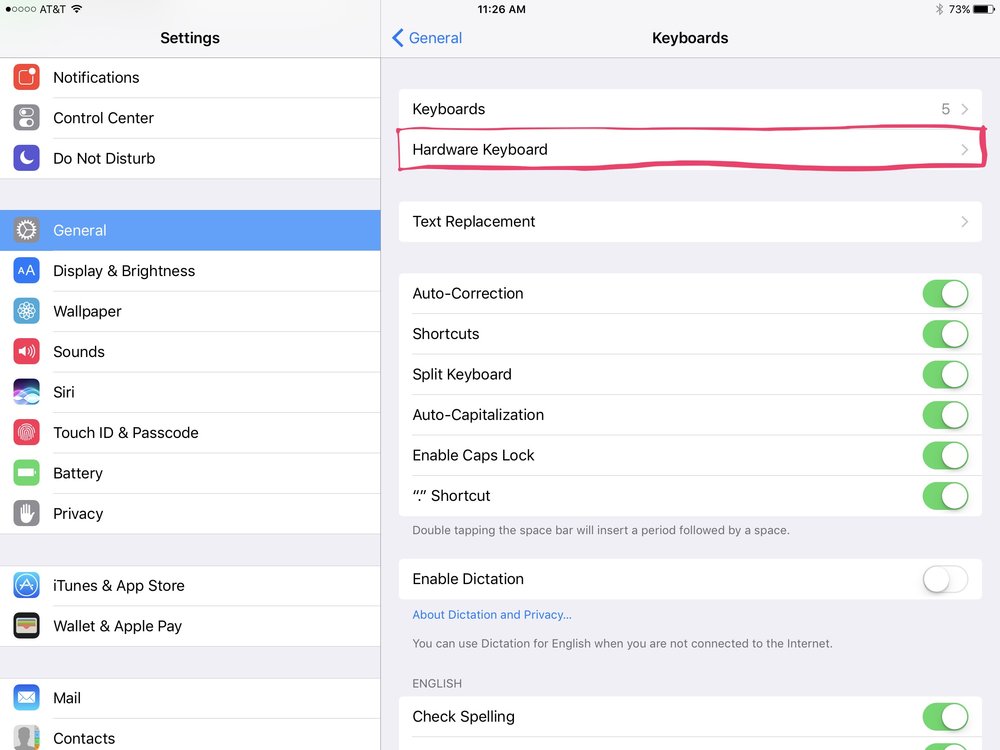
Settings > General > Keyboards > Keyboards
But when you have an external keyboard attached, there is an extra Hardware Keyboard menu that allows you to choose which Greek or Hebrew or English keyboard layout you would like to use.
The Greek Polytonic keyboard layout is the same as what you find on Mac and Windows computers. I’ve been using it for years because, though there are plenty of others out there that might be in one way or another more user friendly, this one is always preinstalled and ready to roll.

 Brian W. Davidson